YouTube Thumbnail Resizer
Instantly resize and optimize images to official YouTube thumbnail dimensions (1280x720 px, 16:9 ratio). Built-in timestamp safe-zone checker, filter adjustments, and 2MB file size optimizer.
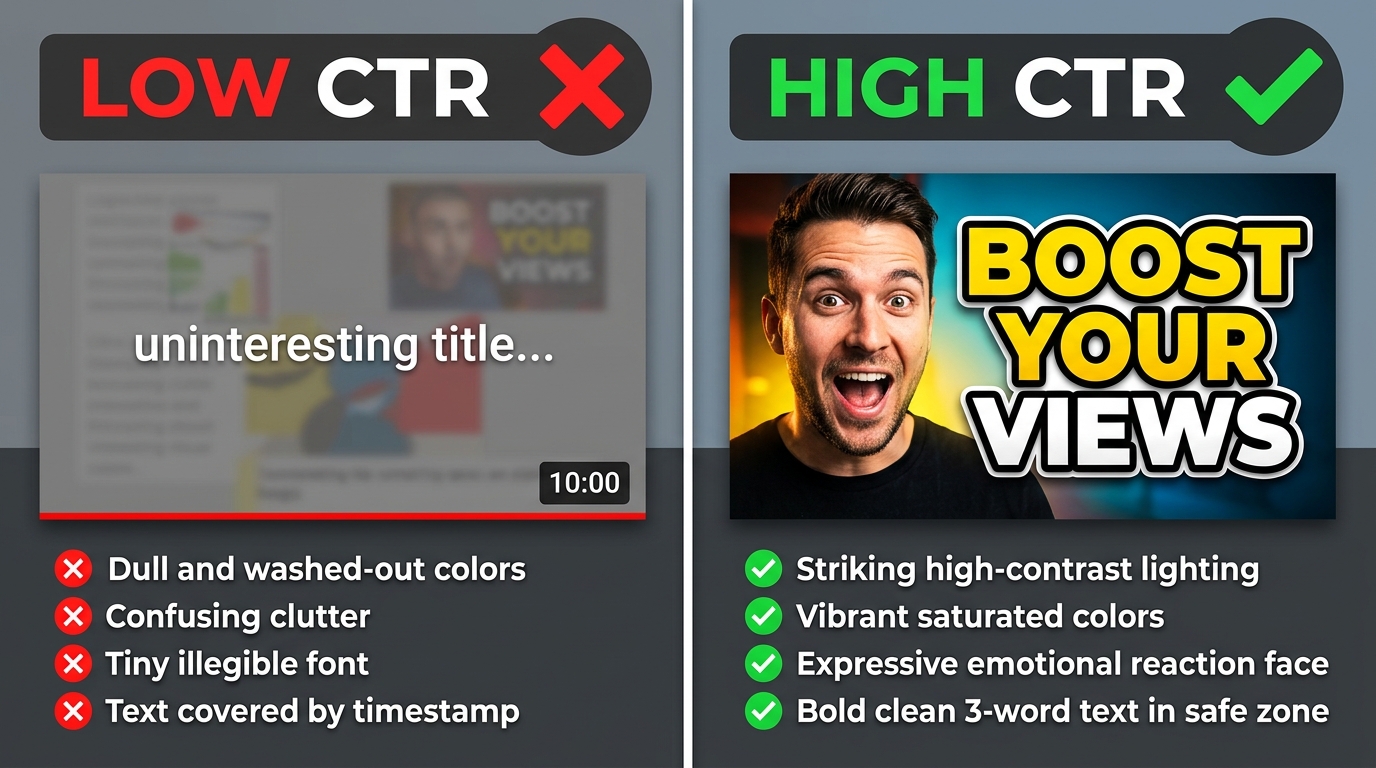
According to YouTube's Creator Academy, 90% of the best-performing videos across the entire platform utilize custom-crafted thumbnails. However, an incorrect aspect ratio, blurry resolution scaling, or placing vital title text beneath YouTube's bottom-right timestamp overlay will devastate your Click-Through Rate (CTR). Discover the exact dimensions, conversion ratios, and safe-zone layouts required to dominate search and suggestion feeds.
Official YouTube Thumbnail Size, Width and Height Specifications
The definitive, Google-recommended YouTube thumbnail size width and height is 1280 × 720 pixels. This provides an exact 16:9 widescreen ratio, ensuring your graphic scales flawlessly across mobile apps, 4K Smart TVs, tablet interfaces, and desktop web browsers without letterboxing or edge distortion.
YouTube Thumbnail Size in Inches, Centimeters (cm), and Print Settings
When designing in print-based tools like Adobe Photoshop, CorelDRAW, or Illustrator, digital creators often search for youtube thumbnail size in inches or physical centimeters. Because physical dimensions depend entirely on pixel density (DPI / PPI), here is the mathematically precise conversion breakdown:
| Display Context | Resolution (PPI/DPI) | Size in Inches (W × H) | Size in Centimeters (cm) | Verdict |
|---|---|---|---|---|
| Web & YouTube Standard | 72 DPI (Digital Standard) | 17.78 × 10.00 inches | 45.16 × 25.40 cm | Recommended |
| Medium Density Screens | 150 DPI (Mid Density) | 8.53 × 4.80 inches | 21.67 × 12.19 cm | Compatible |
| High-Res Merchandise / Print | 300 DPI (Print Quality) | 4.27 × 2.40 inches | 10.84 × 6.10 cm | Print Only |
| Full HD 1080p Canvas | 72 DPI | 26.67 × 15.00 inches | 67.73 × 38.10 cm | Best Detail |
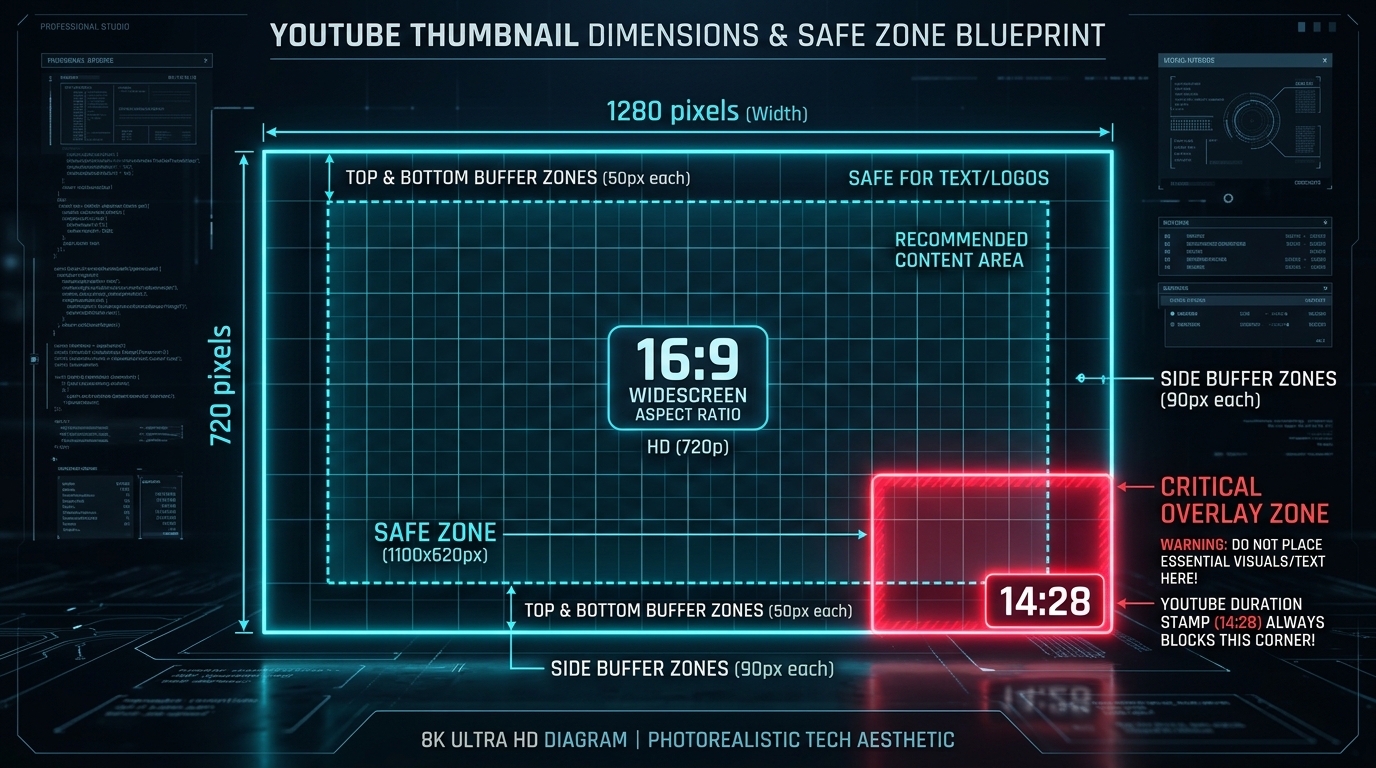
The Timestamp Danger Zone: Why Thumbnails Lose 40% of Clicks
The most common technical error made by new creators is placing critical punchline text, speaker headshots, or product branding inside the bottom-right corner.
On every mobile and desktop feed, YouTube injects an opaque black badge displaying the video runtime (e.g., "18:45") in the lower right corner. The badge occupies approximately 160 × 50 pixels of your canvas. Any text or subtle details placed in this zone will be completely obscured. Always compose your subjects and bold headline text in the center and left two-thirds of your image!
YouTube Thumbnail Size Photoshop & AI Generation Settings
Configuring your software presets properly prevents pixel interpolation, blurriness, and color fading when YouTube compresses your uploaded asset:
Go to File > New. Set Width: 1280 px, Height: 720 px, Resolution: 72 Pixels/Inch, and Color Mode: RGB Color (8 bit). Ensure the Color Profile is strictly set to sRGB IEC61966-2.1.
When generating concept backgrounds in Midjourney or Leonardo AI, always append the flag --ar 16:9 to your prompt. For DALL-E 3, specify "widescreen 16:9 landscape aspect ratio" to eliminate automatic letterboxing.
Press Ctrl + Alt + Shift + S. Choose JPEG Quality 85–90% or PNG-24. Verify the output file size in the lower-left preview stays under 2,000 KB (2 MB) before saving.
1280 × 720 vs 1920 × 1080: Which Resolution is Superior?
Both resolutions utilize the exact same 16:9 aspect ratio. However, choosing between them involves a crucial trade-off:
- Why 1280 × 720 px is the Golden Standard: It is YouTube's baseline requirement. File sizes almost never exceed the 2MB threshold, and YouTube’s internal ingestion pipeline rescales thumbnails cleanly for 95% of viewers browsing on smartphones.
- When to use 1920 × 1080 px (Full HD): If your audience watches predominantly on desktop monitors or 4K Smart TVs, 1080p delivers sharper micro-details and crisper text anti-aliasing. However, you must carefully monitor compression to ensure the resulting file does not exceed 2MB.