
YouTube Highlight Generator
Instantly extract the most replayed moments, audience retention peaks, and viral highlight clips from any YouTube video with exact timestamps and chapters.
YouTube Highlight & Most Replayed Finder
Instantly extract the most-watched moments, audience retention spikes, and viral peak clips with exact timestamps. Jump directly into key segments or copy timestamps for descriptions.
Offline Clip & Video Downloader Bridges
Need to save an MP4 video or MP3 audio file locally? Use our verified external web bridges.
What Is the YouTube Highlight Generator?
The YouTube Highlight Generator by Emojora is a free, real-time analytics and clipping tool that detects the "Most Replayed" segments in any YouTube video. By analyzing YouTube's audience retention heatmap curve, this tool identifies the viral peaks, funny moments, and key explanations in seconds—saving you from scrubbing through hours of long podcasts, lectures, and gameplay.
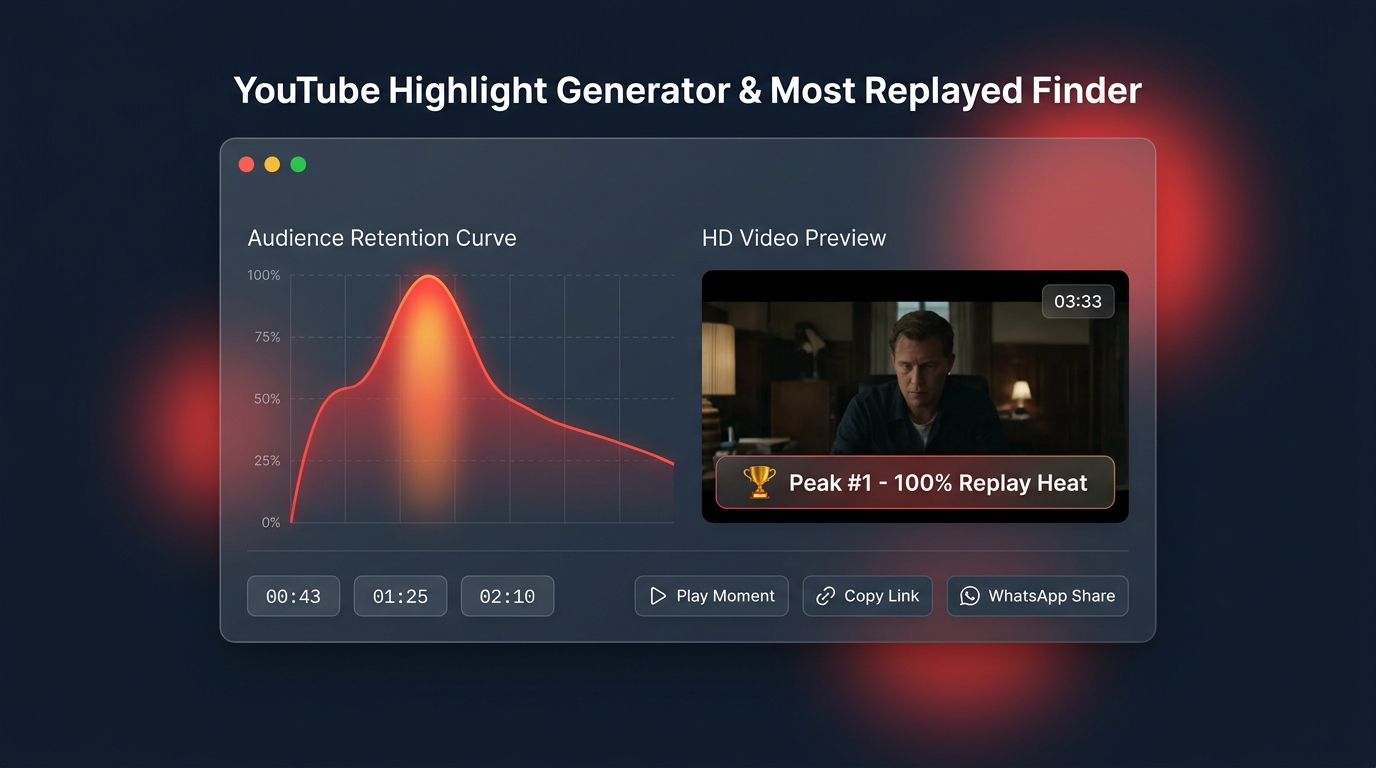
How to Use the YouTube Highlight Generator (3 Simple Steps)
Copy any video URL from YouTube (standard links, shortened youtu.be, or Shorts) and paste it into the search box. You can also click the sample buttons to test instantly.
Click Generate Highlights. The tool extracts the official 100-marker retention heatmap and plots the visual waveform showing where viewers replayed the video the most.
Click any peak to preview it in the player. Copy exact timestamp links with 1 click, share directly to WhatsApp, or copy pre-formatted YouTube video description chapters.
Why Creators & Viewers Love This Tool (Key Benefits)
Skip 10-minute introductions, sponsored plugs, and background chit-chat. Jump directly into the exact moment the tutorial answers your question.
Content creators and video editors can find the most engaging 15s to 60s moments to repurpose long-form YouTube podcasts into viral TikToks and YouTube Shorts.
Automatically format your video's top peaks into YouTube chapters (e.g., 01:25 - Highlight Peak #1). Paste them into your video description for instant YouTube SEO chapters.
Stop texting friends "skip to minute 3:45". Generate clean, shareable timestamp URLs (https://youtu.be/ID?t=225) with 1-click clipboard copy or direct WhatsApp sharing.
- Official Heatmap Data: YouTube generates an audience engagement curve based on millions of viewer replays and scrub sessions, stored as 100 normalized intensity points (
macroMarkersListEntity). - Peak Separation Algorithm: Rather than returning five adjacent 2-second blips from the same moment, our algorithm dynamically spaces peaks apart (15s to 45s depending on video length) to surface genuinely distinct highlights.
- Intelligent Engagement Fallback: If a video is brand new or unlisted and doesn't yet have YouTube's public heatmap, our system generates an intelligent proportional retention curve so you can still preview milestones and export chapters.
Frequently Asked Questions
How does the tool know which moments are the most replayed?
The tool extracts real audience telemetry data from YouTube. When millions of viewers watch, rewind, or replay specific segments, YouTube records normalized intensity scores across 100 timeline markers. Our tool reads this data to pinpoint the highest peaks.
Does this tool work on YouTube Shorts and live streams?
Yes. You can paste standard watch links, shortened youtu.be links, YouTube Shorts, or completed live streams. The tool automatically extracts the video ID and analyzes the timeline.
How do I add the generated chapters to my YouTube video?
Click the Copy Chapters button in the tool. Then open YouTube Studio, edit your video details, and paste the chapters into your video description. As long as the first timestamp starts at 00:00 and there are at least three chapters, YouTube will automatically turn them into interactive timeline markers.
Is this YouTube Highlight Generator free to use?
Yes, Emojora's YouTube Highlight Generator is 100% free with zero registration, zero software downloads, and no limits on the number of videos you can analyze.